How to Connect Your Smartphone to the 2025 Lincoln Corsair Stereo System
April 21 2025,
Easily connect your smartphone to the 2025 Lincoln Corsair with our step-by-step guide. Learn how to pair via Bluetooth, use wireless Apple CarPlay® or Android Auto™, and take full advantage of the Corsair’s premium SYNC® 4 infotainment system. Stay connected and entertained on every drive.
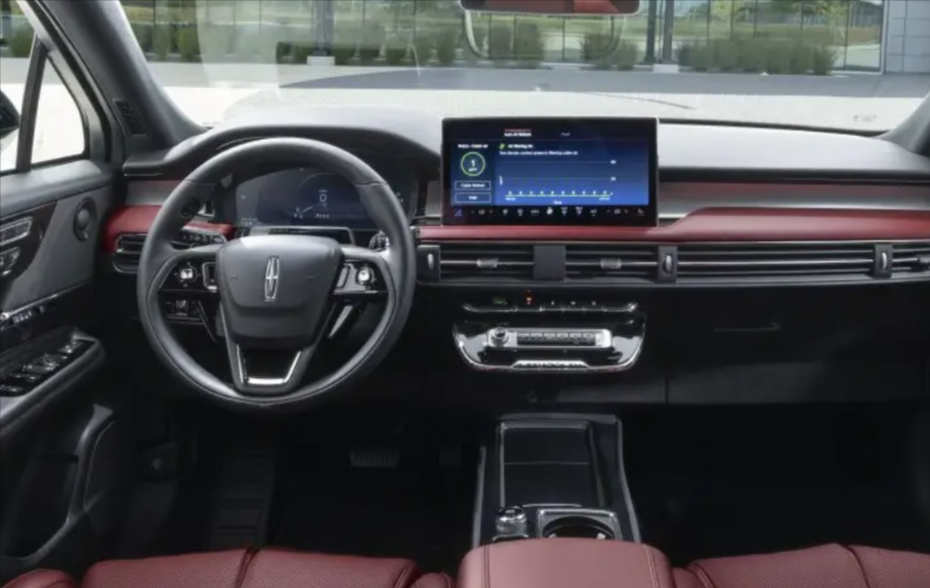
Connecting your smartphone to the 2025 Lincoln Corsair is an easy process thanks to the advanced SYNC® 4 infotainment system. Whether you use an iPhone or an Android device, the Corsair offers wireless Apple CarPlay® and Android Auto™, allowing you to access music, maps, calls, and texts directly from the touchscreen or using voice commands. This system enhances your driving experience with seamless connectivity.
To get started, make sure your smartphone’s Bluetooth is turned on. On the Corsair’s touchscreen, tap the “Add Phone” button in the SYNC® 4 menu. The system will search for nearby Bluetooth devices and display a list. Once your phone appears, select it. A pairing code will then appear on both your phone and the vehicle’s screen—confirm that the numbers match and press “Pair” on both.
Once connected, you’ll be prompted to allow access to your contacts and messages. Granting permission enables features like hands-free calling and text readouts. If you prefer a wired connection, the Corsair is also equipped with USB-A and USB-C ports for direct plug-in, which also charges your device.
Beyond just pairing, the 2025 Corsair enhances the experience with its available Revel® audio system. This premium 14-speaker setup delivers concert-like clarity throughout the cabin. Combined with the SYNC® 4 system’s intuitive interface and over-the-air software updates, the Corsair ensures your infotainment setup stays up to date and user-friendly.
Whether you’re streaming your favorite playlist or taking a hands-free call, connecting your smartphone to the Lincoln Corsair is quick and hassle-free, making every drive more enjoyable.