How to Use Lincoln BlueCruise in the 2025 Lincoln Corsair
March 29 2025,
Discover how to unlock the power of hands-free highway driving with Lincoln BlueCruise in your 2025 Lincoln Corsair. Our step-by-step guide helps you activate, customize, and confidently use this cutting-edge technology on the road.
Hands-Free Highway Cruising: A Step-by-Step Guide to Lincoln BlueCruise
If you’ve recently driven off the lot in a2025 Lincoln Corsair, you’re now the proud owner of one of the most innovative driving experiences Lincoln has ever engineered. Among the standout features in this luxury compact SUV isLincoln BlueCruise—a hands-free highway driving system designed to elevate long drives and ease daily commutes.
Let’s break down exactly how to use Lincoln BlueCruise so you can hit the road with confidence.
Step 1: Activate Lincoln Co-Pilot360™ 2.2
BlueCruise is part of the advancedLincoln Co-Pilot360™ 2.2suite of driver-assist features. Ensure this system is activated by navigating to:
Settings > Driver Assistance > BlueCruise Make sure that bothAdaptive Cruise ControlandLane Centeringare turned on.
Step 2: Locate a Hands-Free Blue Zone
BlueCruise is designed to work onpre-mapped highwaysknown asBlue Zones. These zones cover over 130,000 miles of North American highways. When you enter one of these zones, your Corsair will automatically detect it via GPS and onboard sensors.
Tip:A blue steering wheel icon will appear on your digital instrument cluster when you’re in a Blue Zone.
Step 3: Engage BlueCruise
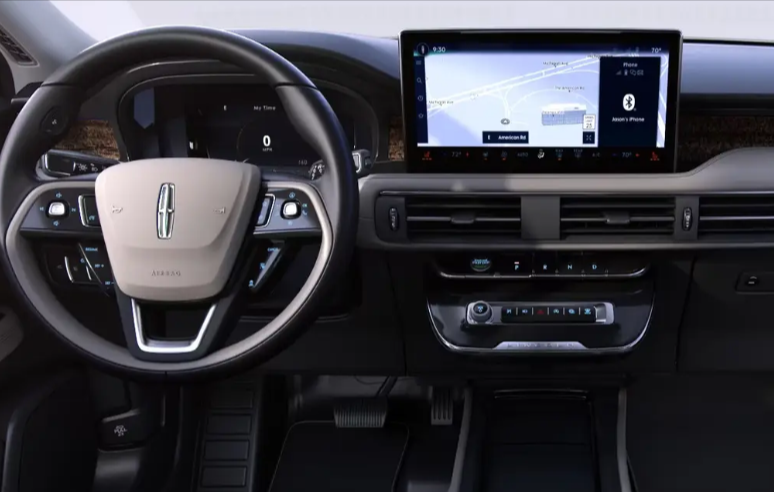
Once in a Blue Zone and all conditions are met (hands on the wheel, seatbelt fastened, etc.), press theAdaptive Cruise Controlbutton on the steering wheel. Then, activateLane Centeringby holding the appropriate assist button.
When the system confirms it can operate hands-free, you’ll see asolid blue indicatoron your screen, signaling BlueCruise is now in control.
Step 4: Stay Attentive
BlueCruise allows forhands-free driving, but you must remain attentive. Aninfrared cameratracks your eye and head movements. If you’re distracted for too long, the system will prompt you to retake control.
Step 5: Disengage Manually
You can manually disengage BlueCruise at any time by:
Tapping the brake or accelerator
Grabbing the steering wheel
Pressing the cruise control cancel button
Pro Tips
Software Updates:Keep your vehicle software up to date through Lincoln’s over-the-air (OTA) system to ensure BlueCruise functions at its best.
Conditions:BlueCruise works best in clear weather and on well-marked highways.
Add Driver Profiles:Customize BlueCruise preferences under different driver profiles, ideal for families or shared vehicles.
BlueCruise isn’t just a feature—it’s a lifestyle upgrade. By mastering this advanced system, the2025 Lincoln Corsairtransforms every highway drive into a luxurious, low-stress journey.
Key Differences Between a Hybrid and Plug-In Hybrid Lincoln Vehicle
Hybrid and plug-in hybrid vehicles can both reduce fuel consumption, but they accomplish that goal in different ways. Understanding those...
Read more
August 25 2026, 360.Agency
What Makes the 2027 Lincoln Navigator Perfect for Your Family?
Choosing a luxury SUV for your family often means deciding what you are willing to compromise. Some models provide three rows but limited cargo...
Read more